listening mode stopped working after update to 1.7.1.0 x64

Post Reply
nagysifa
8
8
Posts: 10
Joined: 2025-05-16 17:32

listening mode stopped working after update to 1.7.1.0 x64

Post by nagysifa »

Hi!

First of all thank you for developing this essential networking tool!

I have been using listening mode (UltraVNC reverse connection) for many months with version 1.6.4.0 on my server with command from a batch file:

START "" "C:\Program Files\UltraVNC\vncviewer.exe" -listen 55500

after updating to 1.7.1.0 the clients can no longer connect... (the firewall/router connections are not changed)

After reverting to 1.6.4.0 version everything works again...

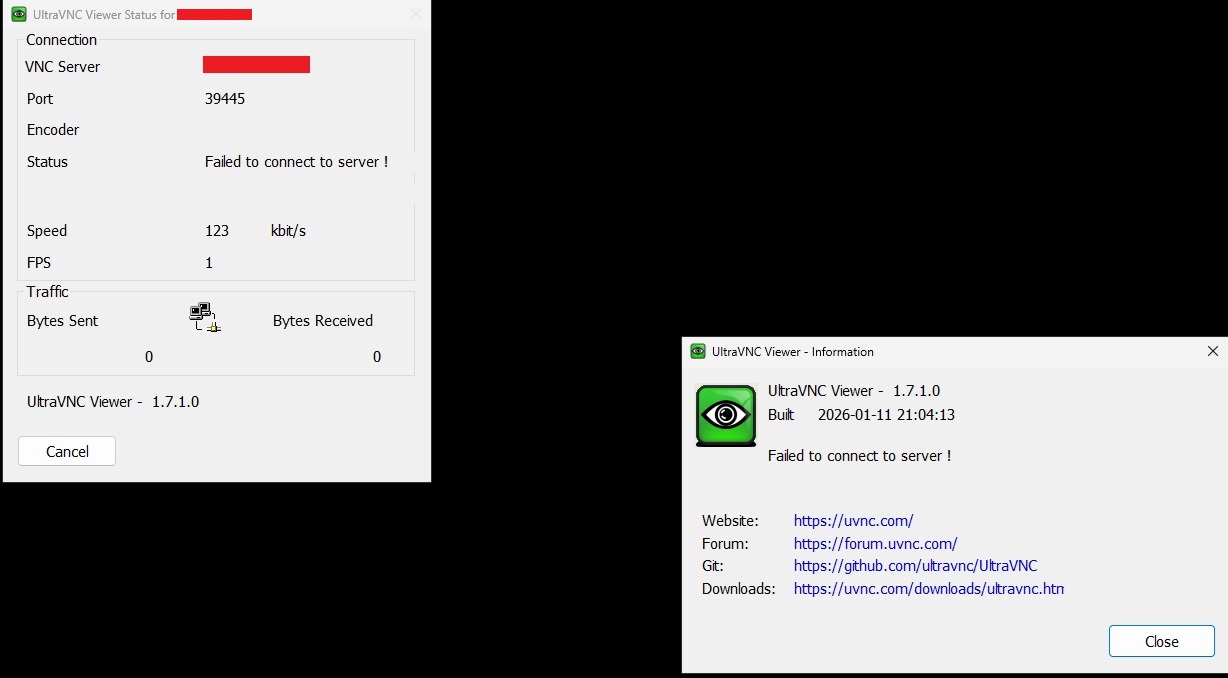
These window appear instead of the remote desktop:
Image

Image

Thanks for any help or suggestion!
Last edited by nagysifa on 2026-01-15 10:21, edited 1 time in total.
User avatar
Rudi De Vos
Admin & Developer
Admin & Developer
Posts: 6986
Joined: 2004-04-23 10:21
Contact:

Re: listening mode stopped working after update to 1.7.1.0 x64

Post by Rudi De Vos »

Thanks for the feedback!

1.7.1 is still alpha, only use for internal testing.

Was viewer and server replaced or only the viewer?

This limit the bug chase.
UltraVNC links (join us on social networks):
- Website: https://uvnc.com/
- Forum: https://forum.uvnc.com/
- GitHub sourcecode: https://github.com/ultravnc/UltraVNC
- Mastodon: https://mastodon.social/@ultravnc
- Bluesky/AT Protocol: https://bsky.app/profile/ultravnc.bsky.social
- Facebook: https://www.facebook.com/ultravnc1
- X/Twitter: https://x.com/ultravnc1
- Reddit community: https://www.reddit.com/r/ultravnc
- OpenHub: https://openhub.net/p/ultravnc
- uvnc2me: https://uvnc2me.com/
nagysifa
8
8
Posts: 10
Joined: 2025-05-16 17:32

Re: listening mode stopped working after update to 1.7.1.0 x64

Post by nagysifa »

Thank You for the quick reply.
I installed both of them.
User avatar
Rudi De Vos
Admin & Developer
Admin & Developer
Posts: 6986
Joined: 2004-04-23 10:21
Contact:

Re: listening mode stopped working after update to 1.7.1.0 x64

Post by Rudi De Vos »

I think I found it... one "}" at a wrong place in coded LOL

Will post an update for testing.

This also include:
- unicode chat
- copy paste of a file, could be handy if you quick want to copy a small file
UltraVNC links (join us on social networks):
- Website: https://uvnc.com/
- Forum: https://forum.uvnc.com/
- GitHub sourcecode: https://github.com/ultravnc/UltraVNC
- Mastodon: https://mastodon.social/@ultravnc
- Bluesky/AT Protocol: https://bsky.app/profile/ultravnc.bsky.social
- Facebook: https://www.facebook.com/ultravnc1
- X/Twitter: https://x.com/ultravnc1
- Reddit community: https://www.reddit.com/r/ultravnc
- OpenHub: https://openhub.net/p/ultravnc
- uvnc2me: https://uvnc2me.com/
nagysifa
8
8
Posts: 10
Joined: 2025-05-16 17:32

Re: listening mode stopped working after update to 1.7.1.0 x64

Post by nagysifa »

Great! Eager to test it!
And thanks for all the work you put into this!
nagysifa
8
8
Posts: 10
Joined: 2025-05-16 17:32

Re: listening mode stopped working after update to 1.7.1.0 x64

Post by nagysifa »

Thank you for the quick reply!

I installed the file (UltraVNC_1710_x64_Setup.exe) to my server
Started the listening mode (as always): START "" "C:\Program Files\UltraVNC\vncviewer.exe" -listen 55500

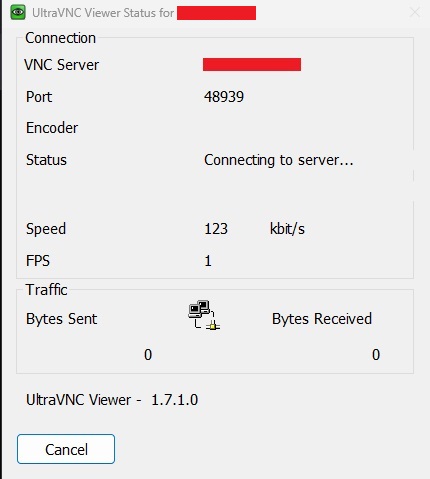
unfortunately it still do not work:
Image

I tried it with 1.6.4.0 and 1.7.1.0 on the client side...
User avatar
Rudi De Vos
Admin & Developer
Admin & Developer
Posts: 6986
Joined: 2004-04-23 10:21
Contact:

Re: listening mode stopped working after update to 1.7.1.0 x64

Post by Rudi De Vos »

Can't repeat it.
START "" "C:\Users\XXX\Desktop\git_ultravnc\vncviewer\Debug\vncviewer.exe" -listen 55500
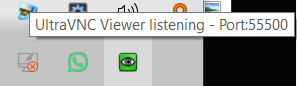
this show the viewer on the systray, and i can proper connect:
Image

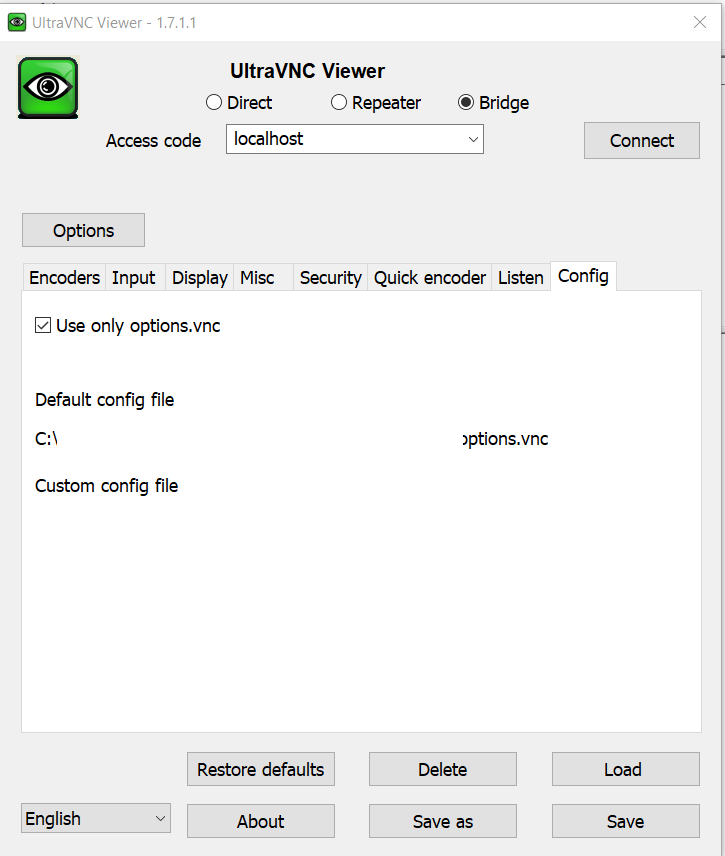
Possible it's related to save config settings.

When do you get the dialog, on start or when the server connect?

see config and rename the options or other config files to test:
Image
UltraVNC links (join us on social networks):
- Website: https://uvnc.com/
- Forum: https://forum.uvnc.com/
- GitHub sourcecode: https://github.com/ultravnc/UltraVNC
- Mastodon: https://mastodon.social/@ultravnc
- Bluesky/AT Protocol: https://bsky.app/profile/ultravnc.bsky.social
- Facebook: https://www.facebook.com/ultravnc1
- X/Twitter: https://x.com/ultravnc1
- Reddit community: https://www.reddit.com/r/ultravnc
- OpenHub: https://openhub.net/p/ultravnc
- uvnc2me: https://uvnc2me.com/
nagysifa
8
8
Posts: 10
Joined: 2025-05-16 17:32

Re: listening mode stopped working after update to 1.7.1.0 x64

Post by nagysifa »

I get the error window after I initiate the connection on the remote client...
I will try your suggestion and get back to you.
basso
8
8
Posts: 9
Joined: 2022-12-14 14:16

Re: listening mode stopped working after update to 1.7.1.0 x64

Post by basso »

I have the same problem.
It occurs when the connection starts.
nagysifa
8
8
Posts: 10
Joined: 2025-05-16 17:32

Re: listening mode stopped working after update to 1.7.1.0 x64

Post by nagysifa »

Thank You for the fix! It work now as expected!
nagysifa
8
8
Posts: 10
Joined: 2025-05-16 17:32

Re: listening mode stopped working after update to 1.7.1.0 x64

Post by nagysifa »

Could You point me, where are the settings changed in "UltraVNC Server - Settings" saved ?
It used to be saved in "C:\Program Files\UltraVNC\ultravnc.ini" file - ( for my setup ) but now I can not find the file ...

It is not in the installation folder, in the ProgramData, in User folder or in the registry ... what am I missing ?

Thank You!
Post Reply